API v2#
Base URL for APIv2 communication#
Communication with the APIv2 is performed by sending POST requests to the base URL below:
Funkcia message#
Method: POST
Endpoint: /messages
Authentication is handled via the X-API-KEY HTTP header. Set its value to your generated API key.
To send a message, create a POST request using the following format:
curl -X POST\
-H "X-API-KEY: {{VÁŠ_API_KĽÚČ}}"\
-H "Accept: application/json"\
-H "Content-Type: application/json"\
-d '{
    -- Body of the request, described in deatail below--
    }'
"https://smsapi.telekom.sk/v2/messages"
Below are minimal examples of different types of multimedia messages that can be sent using APIv2.
{
    "recipients": [
        {
            "phone": "+421XXXXXXXXX"
        }
    ],
    "channels": [
        {
            "type": "rcs",
            "ttl": 30
        },
        {
            "type": "sms"
        }
    ],
    "callbackUrls": [
        {
            "url": "https.zakaznik.app/callback",
            "types": [
                "postback",
                "dsn"
            ]
        }
    ],
    "rcs": {
        "text": "Prajete si dostávať správy z tohto čísla?",
        "suggestions": [
            {
                "reply": {
                    "text": "Áno",
                    "postbackData": "yes"
                }
            },
            {
                "reply": {
                    "text": "Nie",
                    "postbackData": "no"
                }
            }
        ]
    },
    "sms": {
        "text": "Fallback SMS, pokiaľ príjemca nie je dostupný pre RCS"
    }
}
{
    "recipients": [
        {
            "phone": "+421XXXXXXXXX"
        }
    ],
    "channels": [
        {
            "type": "rcs",
            "ttl": 30
        },
        {
            "type": "sms"
        }
    ],
    "callbackUrls": [
        {
            "url": "https.zakaznik.app/callback",
            "types": [
                "postback",
                "dsn"
            ]
        }
    ],
    "rcs": {
        "file": {
            "url": "https://pdfobject.com/pdf/sample.pdf"
        },
        "suggestions": [
            {
                "action": {
                    "text": "Vyberte polohu",
                    "postbackData": "test_text",
                    "fallbackUrl": "https://google.com",
                    "shareLocation": {}
                }
            }
        ]
    },
    "sms": {
        "text": "Fallback SMS, pokiaľ príjemca nie je dostupný pre RCS"
    }
}
{
    "recipients": [
        {
            "phone": "+421XXXXXXXXX"
        }
    ],
    "channels": [
        {
            "type": "rcs",
            "ttl": 30
        },
        {
            "type": "sms"
        }
    ],
    "callbackUrls": [
        {
            "url": "https.zakaznik.app/callback",
            "types": [
                "postback",
                "dsn"
            ]
        }
    ],
    "rcs": {
        "standaloneCard": {
            "cardOrientation": "VERTICAL",
            "thumbnailImageAlignment": "LEFT",
            "cardContent": {
                "title": "StandaloneCard Titulka",
                "description": "StandaloneCard Popis",
                "media": {
                    "height": "TALL",
                    "contentInfo": {
                        "fileUrl": "https://www.google.com/logos/doodles/2015/googles-new-logo-5078286822539264.3-hp2x.gif"
                    }
                },
                "suggestions": [
                    {
                        "reply": {
                            "text": "Áno",
                            "postbackData": "yes"
                        }
                    },
                    {
                        "reply": {
                            "text": "Nie",
                            "postbackData": "no"
                        }
                    }
                ]
            }
        }
    },
    "sms": {
        "text": "Fallback SMS, pokiaľ príjemca nie je dostupný pre RCS"
    }
}
{
    "recipients": [
        {
            "phone": "+421XXXXXXXXX"
        }
    ],
    "channels": [
        {
            "type": "rcs",
            "ttl": 30
        },
        {
            "type": "sms"
        }
    ],
    "callbackUrls": [
        {
            "url": "https.zakaznik.app/callback",
            "types": [
                "postback",
                "dsn"
            ]
        }
    ],
    "rcs": {
        "carouselCard": {
            "cardWidth": "MEDIUM",
            "cardContents": [
                {
                    "title": "Google Karta",
                    "description": "Karta s výškou obrázka SHORT",
                    "media": {
                        "height": "SHORT",
                        "contentInfo": {
                            "fileUrl": "https://services.google.com/fh/files/misc/google_g_icon_download.png"
                        }
                    },
                    "suggestions": [
                        {
                            "action": {
                                "text": "Otvoriť Google",
                                "postbackData": "open_google",
                                "fallbackUrl": "https://google.com",
                                "openUrl": {
                                    "url": "https://google.com"
                                }
                            }
                        }
                    ]
                },
                {
                    "title": "Telekom karta",
                    "description": "Karta s výškou obrázka TALL",
                    "media": {
                        "height": "TALL",
                        "contentInfo": {
                            "fileUrl": "https://www.telekom.sk/documents/10179/19896051/telekom-logo.png"
                        }
                    },
                    "suggestions": [
                        {
                            "action": {
                                "text": "Zavolať podporu",
                                "postbackData": "call_support",
                                "fallbackUrl": "https://telekom.sk",
                                "dial": {
                                    "phoneNumber": "0800123456"
                                }
                            }
                        }
                    ]
                }
            ]
        }
    },
    "sms": {
        "text": "Fallback SMS, pokiaľ príjemca nie je dostupný pre RCS"
    }
}
Parameter Descriptions
| Parameter | Type | Required | Description |
|---|---|---|---|
| recipients[] | array | ✔️ | List of message recipients. |
| channels[] | array | ✔️ | List of channels used to send the message. |
| deliveryTime | string (datetime) | ❌ | Date and time when the message should be sent. |
| priority | integer | ❌ | Message sending priority. Possible values: 1 (Low) 2 (Standard) - Default 3 (High). |
| groupId | integer | ❌ | ID of the cadence group through which the message will be sent. |
| callbackUrls | array | ❌ | Callback URLs that will be called on status changes / delivery reports. |
| sms | object | ℹ️ | Object containing SMS-related information. |
| rcs | object | ℹ️ | Object containing RCS-related information. |
ℹ️ - The sms and rcs parameters are required when their corresponding message type is specified in the channels parameter.
recipients#
The recipients parameter contains a list of recipients for the given message. Each message must include at least one recipient.
| Parameter name | Type | Required | Description |
|---|---|---|---|
| phone | string | ✔️ | Recipient's phone number in the format +421XXXXXXXXX. |
| externalId | string | ❌ | Used to identify the message on the client side. Returned after the request is successfully accepted and included in callbacks. |
Example
channels#
The channels parameter contains a list of delivery channels for the message. The order of channels in the list defines their priority. Each message must include at least one channel through which it will be sent.
| Parameter name | Type | Required | Description |
|---|---|---|---|
| type | string | ✔️ | Channel used to send the message. Possible values: rcs sms |
| ttl | integer | ❌ | Number of seconds after which the message is marked as undeliverable. Once this time expires, the system attempts to send the message via the next channel. |
Example
A message defined in this way is sent primarily via RCS. If delivery is not completed within 5 seconds, the system falls back to the next channel and sends the message via SMS.deliveryTime#
Optional parameter for specifying the message delivery time. Multiple formats are supported:
- 2025-09-25 08:00:00
- 2025-09-25T06:00:00Z (UTC)
- 2025-09-25T08:00:00+02:00 (CEST)
If the parameter is not provided or contains a past timestamp, the message is sent immediately.
callbackUrls#
List of URLs that will be called when the message delivery status changes or when the recipient replies.
| Parameter name | Type | Required | Description |
|---|---|---|---|
| url | string | ✔️ | URL that receives requests when the message status changes or when a reply is received. |
| types | array - string | ✔️ | Callback type. Two values are supported: dsn - delivery status notification postback - reply to the message using suggestions. |
Example
orDSN callback example
{
    "delivery": {
        "status": "DELIVERED",
    },
    "messageId": 991003276,
    "channel": "sms",
    "messageParts": 1,
    "type": "dsn",
    "timestamp": "2025-10-02T08:31:39.825Z"
}
Properties description
| Property | Type | Description |
|---|---|---|
| type | string | Callback type (dsn, postback) |
| messageId | integer | Message ID |
| channel | string | Channel through which the message was sent (sms, rcs) |
| messageParts | integer | Number of parts the message was split into |
| timestamp | string | Timestamp in ISO 8601 format |
| delivery.status | string | Message status. Possible values are described below |
Possible values of status property:
| Status | Description |
|---|---|
| QUEUED | The message has been accepted and is waiting to be sent |
| SENDING | The message is currently being sent |
| SENT | The message was sent to the SMS center |
| DELIVERED | The message was delivered to the recipient |
| EXPIRED | The delivery time limit has expired |
| UNDELIVERABLE | The message cannot be delivered |
| DENIED | The message was rejected by the SMS center |
| READ | The message has been read |
| ERROR | The message cannot be sent due to an error. The system will retry delivery up to 5 times within 60 minutes |
| UNKNOWN | The message was sent, but the delivery status cannot be determined |
Postback example
{
    "postback": {
        "text": "Url #1",
        "data": "postback_data2",
        "type": "action",
        "dateTime": "2026-07-06T08:35:49Z"
    },
    "messageId": 1917453110,
    "channel": "rcs",
    "type": "postback"
}
Properties description
| Property | Type | Description |
|---|---|---|
| type | string | Callback type (dsn, postback) |
| messageId | integer | Message ID |
| channel | string | Channel through which the message was sent (sms, rcs) |
| postback.text | string | Label of the button that the user pressed |
| postback.data | string | Data assigned to the pressed button |
| postback.type | string | Type of the suggested response |
| postback.dateTime | string | Timestamp in ISO 8601 format |
sms#
Contains the information required to send an SMS.
| Parameter name | Type | Required | Description |
|---|---|---|---|
| text | string | ✔️ | Message text. The maximum length depends on the encoding used. |
| from | string | ❌ | Number or alphanumeric sender ID displayed to the recipient. If this parameter is not specified, the primary number assigned to the account is used. |
| unicode | boolean | ❌ | If not specified, encoding is detected automatically. true sends the message as Unicode (UTF-16); false sends it as GSM-7. |
rcs#
Contains the information required to send an RCS message.
| Parameter name | Type | Required | Description |
|---|---|---|---|
| text | string | ℹ️ | Message text. |
| file | object | ℹ️ | Object containing file information. |
| standaloneCard | object | ℹ️ | Object defining a rich media card displayed to the recipient. |
| carouselCard | object | ℹ️ | Carousel object that can contain multiple visual elements or media items. |
| suggestions[] | array | ❌ | Suggested replies displayed as buttons below the message. |
| from | string | ❌ | Agent name used to send the RCS message. |
ℹ️ - Exactly one of the following parameters must be used.
rcs.file#
| Parameter name | Parameter type | Required | Description |
|---|---|---|---|
| url | string | ✔️ | Publicly accessible file URL. The MIME type is determined based on the HTTP content-type header when loading the file. The content-type header must be present and accurate in the HTTP response. Recommended maximum file size is 100 MB. If this URL points to a non-existent file, RCS message sending will fail and the message will be sent via the next available channel. |
| thumbnailUrl | string | ❌ | (Images, audio, and video only) Publicly accessible thumbnail URL. Maximum size is 100 kB. If this parameter is not provided, an empty placeholder will be shown until the file is downloaded to the user's device. Depending on device settings, the file may not download automatically and the user may need to tap a download button. If this URL points to a non-existent file, RCS sending will fail and the message will be sent via the next available channel. |
| forceRefresh | boolean | ❌ | When true, the file and thumbnail will be downloaded from the specified URLs even if cached copies already exist. |
Example
rcs.standaloneCard#
| Parameter name | Type | Required | Description |
|---|---|---|---|
| cardOrientation | string (enum) | ✔️ | Card orientation. Possible values: VERTICAL - vertical layout HORIZONTAL - horizontal layout |
| cardContent | object | ✔️ | Card content. |
| thumbnailImageAlignment | string (enum) | ❌ | Thumbnail image alignment for cards with horizontal layout. |
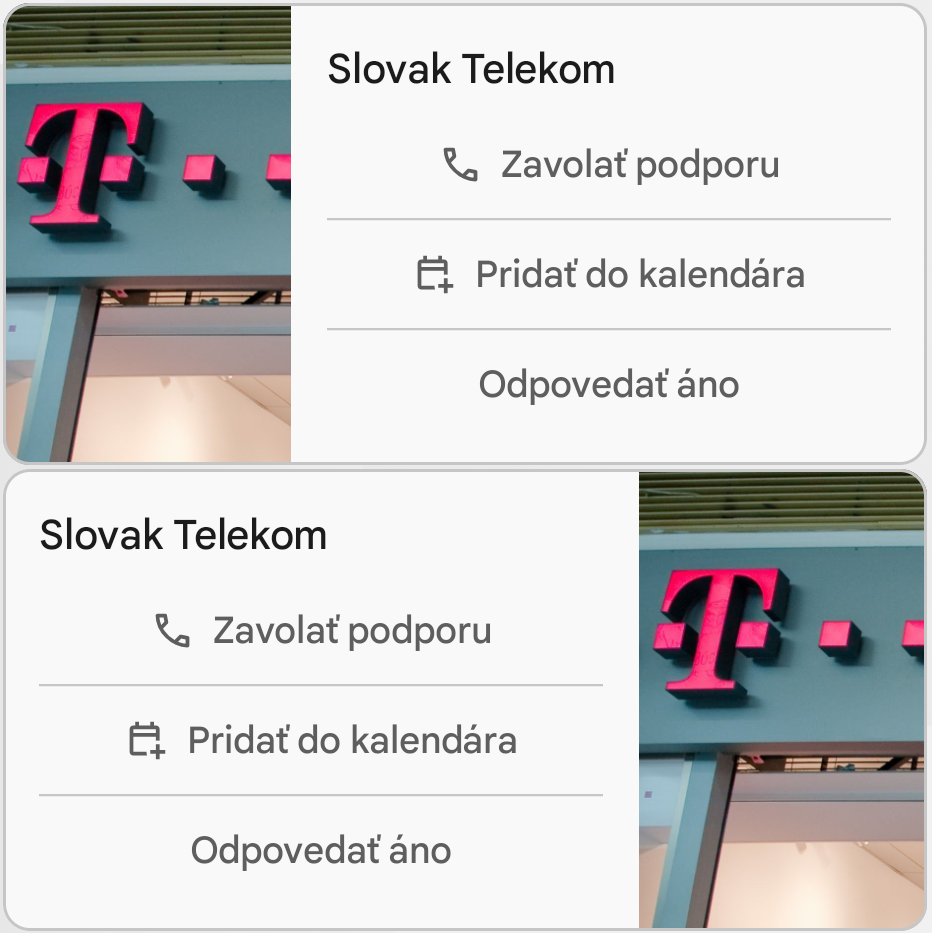
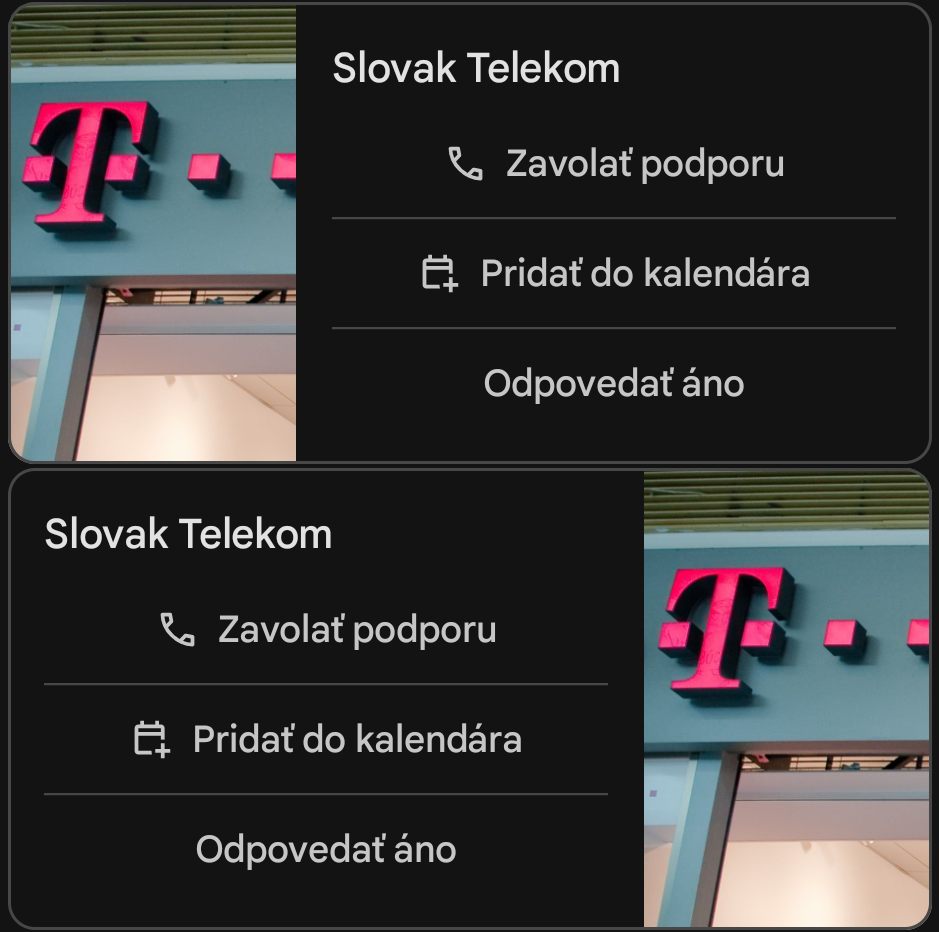
Example
    "rcs": {
        "standaloneCard": {
            "cardOrientation": "HORIZONTAL",
            "height": "TALL",
            "thumbnailImageAlignment": "RIGHT",
            "cardContent": {
                "title": "Slovak Telekom",
                "media": {
                    "contentInfo": {
                        "fileUrl": "https://www.telekom.sk/documents/10179/19896051/telekom-logo.png"
                    }
                },
                "suggestions": [
                    {
                        "action": {
                            "text": "Call support",
                            "postbackData": "call_support",
                            "dial": {
                                "phoneNumber": "+421800123456"
                            }
                        }
                    }
                ]
            }
        }
    }
rcs.standaloneCard.thumbnailImageAlignment#
Image placement for a standaloneCard with horizontal layout.
- LEFT - align thumbnail to the left
- RIGHT - align thumbnail to the right
Preview
rcs.carouselCard#
| Parameter name | Parameter type | Required | Description |
|---|---|---|---|
| cardWidth | string (enum) | ✔️ | Width of individual cards. Two possible values: SMALL - 120 DP. If card width is SMALL, media with height TALL cannot be used. MEDIUM - 232 DP |
| cardContents[] | array of cardContent objects | ✔️ | List of individual cards. Minimum length is 2, maximum is 10 cards. |
Example
    "rcs":{
        "carouselCard":{
            "cardWidth": "MEDIUM",
            "cardContents": [
                {
                    "title": "Slovak Telekom Stores",
                    "media": {
                        "height": "TALL",
                        "contentInfo": {
                            "fileUrl": "https://www.telekom.sk/documents/10179/19720195/spolupraca.jpg"
                        }
                    },
                    "suggestions": [
                        {
                            "action": {
                                "text": "Show stores",
                                "postbackData": "open_url_nearby_stores",
                                "fallbackUrl": "https://www.telekom.sk/",
                                "viewLocation": {
                                    "query": "Slovak Telekom store"
                                }
                            }
                        },
                        {
                            "action": {
                                "text": "Call customer support",
                                "postbackData": "dial_support",
                                "fallbackUrl": "https://www.telekom.sk/",
                                "dial": {
                                    "phoneNumber": "+421800123456"
                                }
                            }
                        }
                    ]
                },
                {
                    "title": "Slovak Telekom",
                    "media": {
                        "height": "MEDIUM",
                        "contentInfo": {
                            "fileUrl": "https://www.telekom.sk/documents/10179/19896051/telekom-logo.png"
                        }
                    },
                    "suggestions": [
                        {
                            "action": {
                                "text": "Calls",
                                "postbackData": "open_url_calls",
                                "openUrl": {
                                    "url": "https://www.telekom.sk/volania"
                                }
                            }
                        },
                        {
                            "action": {
                                "text": "Internet",
                                "postbackData": "open_url_internet",
                                "openUrl": {
                                    "url": "https://www.telekom.sk/internet"
                                }
                            }
                        },
                        {
                            "action": {
                                "text": "Television",
                                "postbackData": "open_url_tv",
                                "openUrl": {
                                    "url": "https://www.telekom.sk/televizia"
                                }
                            }
                        },
                        {
                            "action": {
                                "text": "Download app",
                                "postbackData": "open_url_app",
                                "openUrl": {
                                    "url": "https://play.google.com/store/apps/details?id=com.telekom.portal"
                                }
                            }
                        }
                    ]
                }
            ]
        }
    }
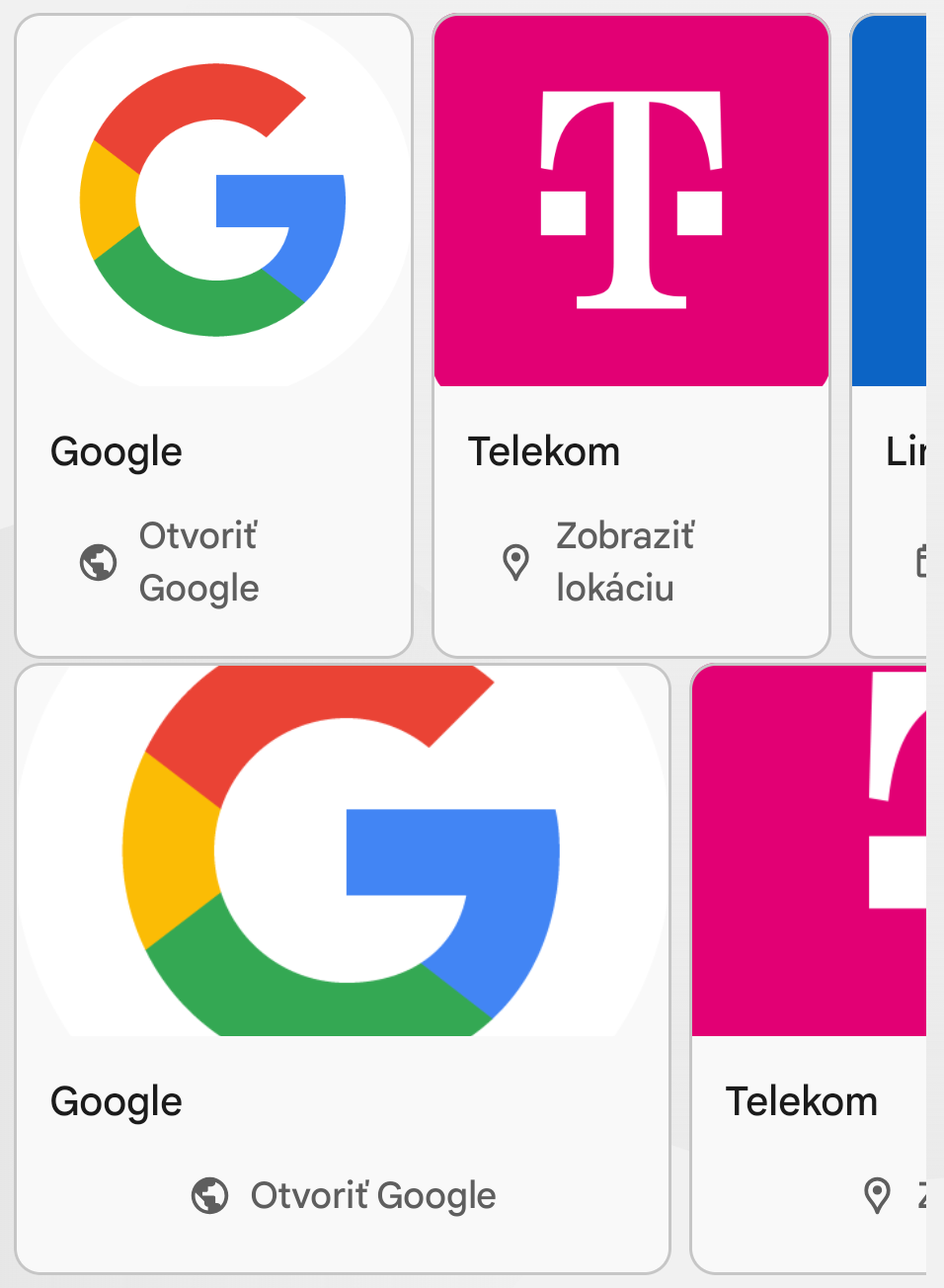
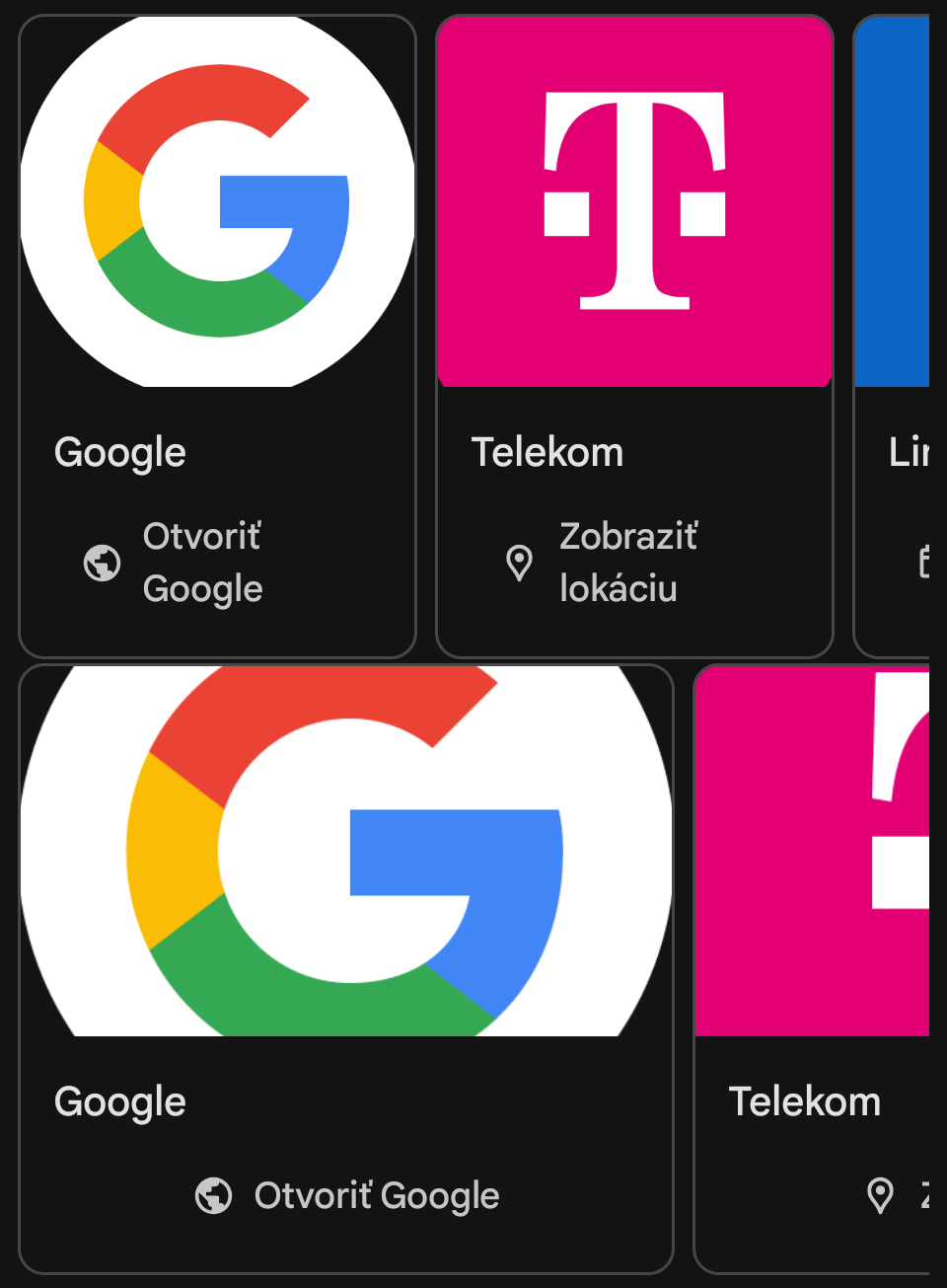
rcs.carouselCard.cardWidth#
Width of displayed media in vertical layout. For standalone cards with horizontal layout, width is not adjustable and this field is ignored. Values:
- SMALL - 120 DP. If card width is SMALL, media height TALL cannot be used.
- MEDIUM - 232 DP
Preview
In this example, card height MEDIUM is used in both cases.
cardContent#
Used to define the content displayed on the card.
| Parameter name | Parameter type | Required | Description |
|---|---|---|---|
| title | string | ℹ️ | Card title. Maximum 200 characters |
| description | string | ℹ️ | Card description. Maximum 2000 characters |
| media | object | ℹ️ | Media file displayed on the card |
| suggestions[] | array | ❌ | Suggested replies in the form of buttons displayed on the card |
ℹ️ - You must use at least one of these parameters.
cardContent.media#
Media file displayed on the card.
| Parameter name | Parameter type | Required | Description |
|---|---|---|---|
| height | string (enum) | ✔️ | Height of the displayed media in vertical layout |
| contentInfo | object | ✔️ | Information about the media file, including file URL and preview URL |
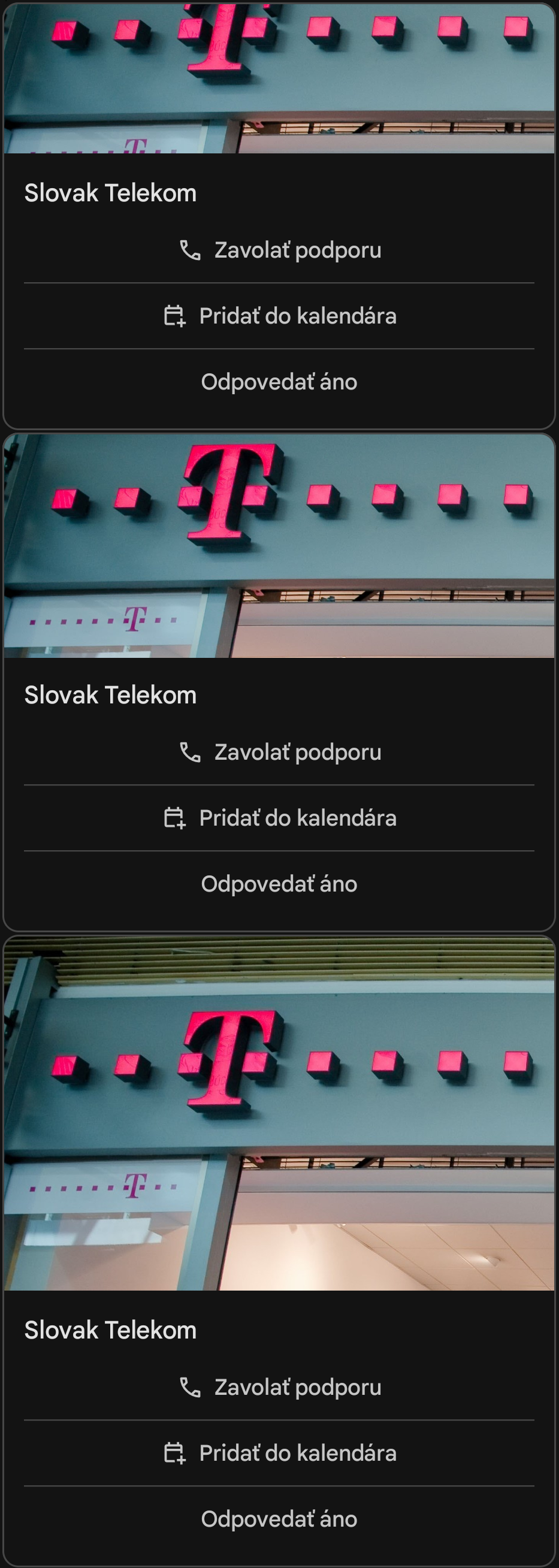
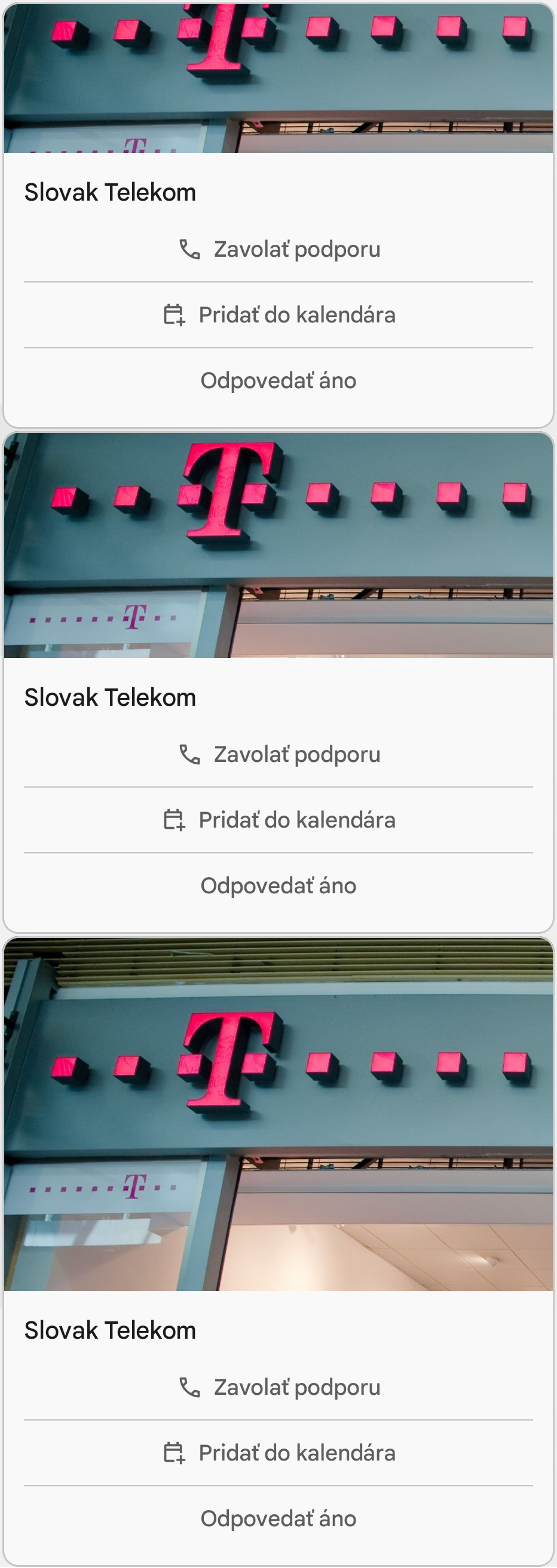
cardContent.media.height#
Height of the displayed media in vertical layout. For standalone cards with horizontal layout, height cannot be customized and this field is ignored. Values:
- SHORT - 112 DP
- MEDIUM - 168 DP
- TALL - 264 DP. Cannot be used for carousel cards if card size is set to SMALL.
Preview
cardContent.media.contentInfo#
| Parameter name | Parameter type | Required | Description |
|---|---|---|---|
| fileUrl | string | ✔️ | Publicly accessible file URL. The MIME type is determined from the HTTP content-type header when loading the file. The content-type header must be present and accurate. Recommended maximum file size is 100 MB. If this URL points to a non-existent file, RCS message sending will fail and the message will be sent via the next available channel. |
| thumbnailUrl | string | ❌ | (Images, audio, and video only) Publicly accessible preview URL. Maximum size is 100 kB. If not provided, an empty placeholder is shown until the file is downloaded to the user's device. Depending on device settings, the file may not download automatically and the user may need to tap a download button. If this URL points to a non-existent file, RCS sending will fail and the message will be sent via the next available channel. |
| forceRefresh | boolean | ❌ | When true, the file and thumbnail are downloaded from the provided URLs even if cached copies already exist. |
Example
suggestions#
The suggestions parameter is a list of objects that serve as reply suggestions for the recipient. The maximum list size is 11 suggestions. Each object in the list can be one of two types: reply or action. These types can be combined within the same list.
This parameter can be defined either at the rcs level or at the cardContent level. If the parameter is defined at the cardContent level, its value at the rcs level is ignored.
Example
suggestions.reply#
A reply object provides a quick text response suggestion for the recipient.
| Parameter name | Type | Required | Description |
|---|---|---|---|
| text | string | ✔️ | Text displayed to the recipient as a quick reply. Maximum 25 characters. |
| postbackData | string | ✔️ | Data sent to the callbackUrl when the quick reply is selected. |
suggestions.action#
An action object suggests an action such as sharing a location, visiting a website, dialing a phone number, etc.
| Parameter name | Type | Required | Description |
|---|---|---|---|
| text | string | ✔️ | Text displayed for the action. Maximum 25 characters. |
| postbackData | string | ✔️ | Data sent to the callbackUrl when the suggested action is selected. |
| dial | object | ℹ️ | Opens the default phone application and pre-fills the specified phone number. |
| viewLocation | object | ℹ️ | Displays a location in the default map application based on latitude/longitude or a query. |
| shareLocation | object | ℹ️ | Opens a location picker allowing the user to select a location to send to the agent. |
| openUrl | object | ℹ️ | Opens the provided URL in the default web browser. |
| createCalendarEvent | object | ℹ️ | Creates a calendar event. |
| fallbackUrl | string | ❌ | URL opened in browser if the device does not support suggestions. |
ℹ️ - Exactly one of these parameters must be used.
suggestions.action.dial#
| Parameter name | Type | Required | Description |
|---|---|---|---|
| phoneNumber | string | ✔️ | Phone number in the format +421XXXXXXXXX. |
Example
suggestions.action.viewLocation#
| Parameter name | Type | Required | Description |
|---|---|---|---|
| latLong | object | ℹ️ | Object that defines a location on the map using latitude and longitude. |
| query ⚠️ | string | ℹ️ | For default map applications that support search functionality (including Google Maps), tapping this suggested action performs a search near the user's current location. If the query is specific enough, it can be used to identify any location worldwide. For example, setting the query to Slovak Telekom displays all nearby Slovak Telekom branches. Setting the query to Námestie SNP 1, 811 01 Bratislava selects that specific address regardless of the user's current location. |
| label | string | ❌ | Name of the location defined by the latLong object. |
ℹ️ - Exactly one of these parameters must be used.
⚠️ - Available only on devices running Android OS.
Example
| Parameter name | Type | Required | Description |
|---|---|---|---|
| latitude | number | ✔️ | Latitude in degrees. Must be within the range [-90.0, +90.0]. |
| longitude | number | ✔️ | Longitude in degrees. Must be within the range [-180.0, +180.0]. |
suggestions.action.shareLocation#
Allows the user to send a location to your agent. The location selected by the user does not necessarily have to be their current location.
This action does not have any required or optional parameters.
suggestions.action.openUrl#
| Parameter name | Type | Required | Description |
|---|---|---|---|
| url | string | ✔️ | URL that opens in the default browser. |
Example
suggestions.action.createCalendarEvent#
| Parameter name | Type | Required | Description |
|---|---|---|---|
| title | string | ✔️ | Event title |
| description | string | ✔️ | Event description |
| startDateTime | string (date-time) | ✔️ | Event start date and time |
| endDateTime | string (date-time) | ✔️ | Event end date and time |
The date must be provided in RFC 3339 format: "YYYY-MM-DDTHH:MM:SS±[hh:mm]", for example:
- 2025-09-25T06:00:00Z (UTC)
- 2025-09-25T08:00:00+02:00 (CEST)